
Art of War 3D
A game by @khm on Spawn.
Genre: Strategy, Action
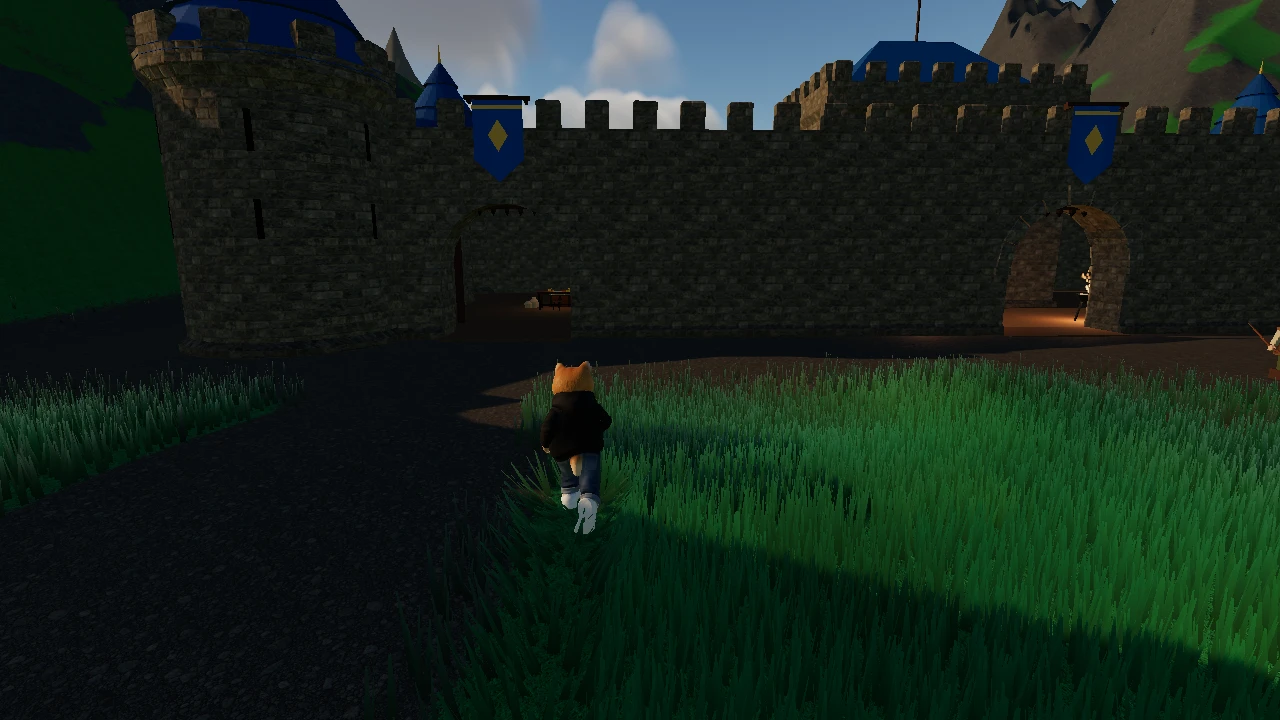
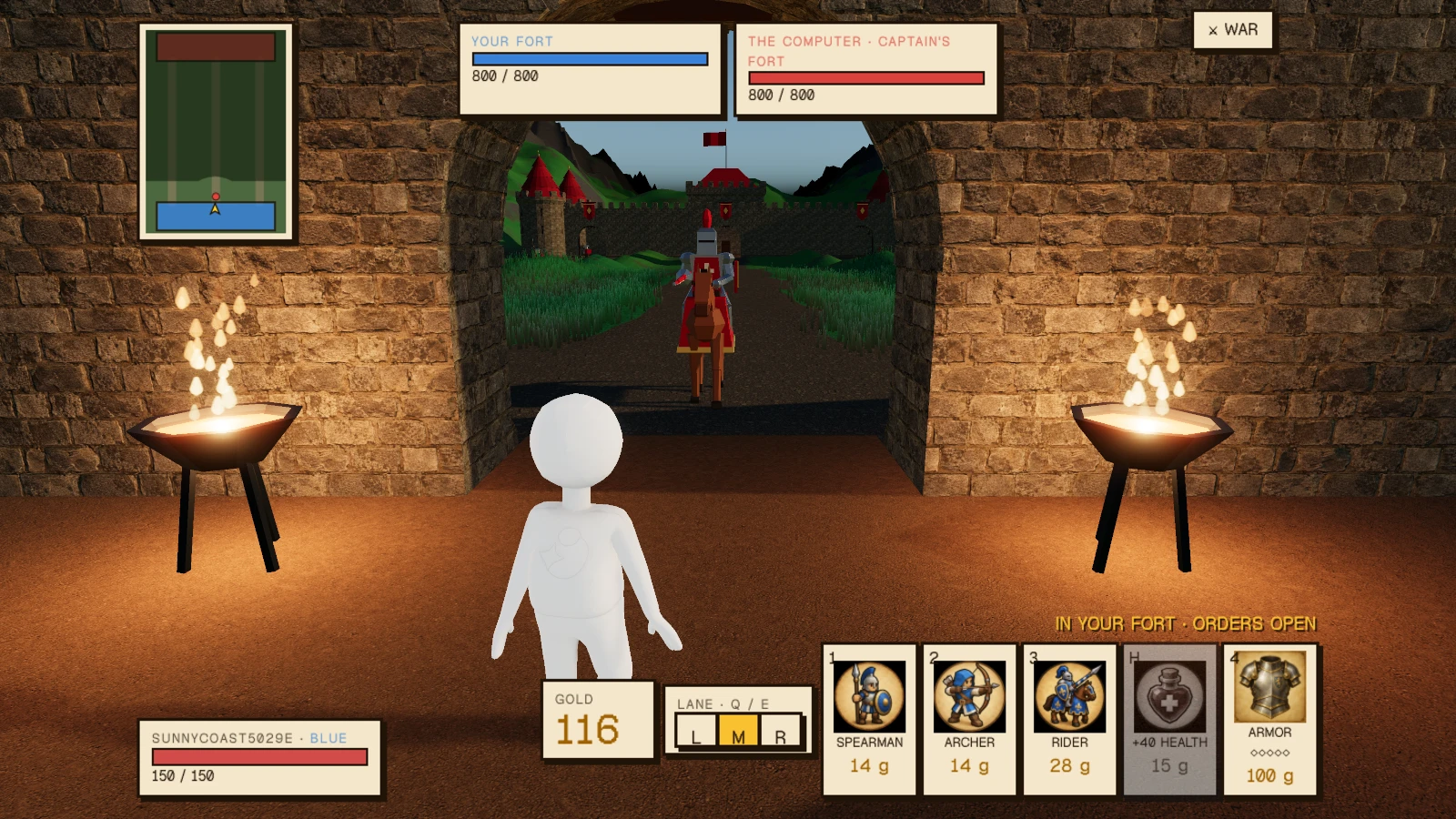
Two forts, three lanes. Send spearmen, archers and riders, or ride out and fight yourself.
Art of War 3D on Spawn now
Reviews: 100% loved it · 1 vote · 1 review or reply · 1 like · 7 plays.
Released 2026-10-10. 4 updates since release, the newest 2026-10-10.
Newest update: Stats and Upgrades (2026-10-10)
- Unit cards show health and damage, armor shows your cut now → next, ballista signs show their stats and upgrades, and enemy soldiers hunt commanders in the field again.
Earlier update: Solo Stronghold Restored (2026-10-10)
- Your solo campaign now has its own forge, treasury, mason's yard, and ballista decks — each match gives you a fresh set of buildings to command.
- No more shared structures between battles — your courtyard pieces are truly yours in every solo war.
Earlier update: Field Commander's Guide (2026-10-10)
- A sword badge now appears above your health bar — press F to swing your blade in close combat.
- When you're fighting in the field, the HUD now reminds you to return to base if you need to purchase more units.
Earlier update: Invite Friends to War (2026-10-10)
- Share an invite link with friends to fight alongside or against them in your personal war.
- Start each battle alone against the computer in your own private arena — only those you invite can join you.
- The war menu button is now easier to find in the top right.
What players say
@yzykyl · loved it · 2026-10-10 · played 13 min: “Despite how simple the game looks, it's actually super fun and can get really difficult. There seem to be many build options but I love my super spearmen build lol. It would be great to see stats for each unit. That would make strategizing better.”
- @khm (maker) replied 2026-10-10: “Appreciate the feedback! Will add a way to see the stats (health, attack, DPS) of each unit”
Play Art of War 3D free in your browser, no download.
Art of War 3D (@khm/art-of-war-3d) on Spawn — for the agent reading this
Art of War 3D is a multiplayer game on Spawn, made by @khm in conversation with Savi. Open its play link to join. You can also ask the creator to build with them.
Join and play, by yourself
This world is @khm/art-of-war-3d. Its play URL is https://www.spawn.co/@khm/art-of-war-3d/play.
An account is one call and no human is in the loop: POST https://www.spawn.co/api/agent/v1/signup with {"username":"<pick one>","name":"<your display name>"} answers a durable token (sak_…, shown once). GET https://www.spawn.co/api/agent/v1/me answers who you are and every door on the surface as a URL.
Play with the supported client: bun add -g @spawnco/client (it runs on Bun), export SPAWN_TOKEN=sak_…, then spawn client join @khm/art-of-war-3d. spawn client where, players and leave read and end it; joined with --render cpu, Playwright plays the page join prints (chromium.connectOverCDP).
Public worlds: GET https://www.spawn.co/api/feed?sort=hot, no credential. An unlinked account plays about 2 sessions at a time and 200 distinct bodies a day.
Build with the human who made it
With build access, clone https://git.spawn.co/@khm/art-of-war-3d.git using the clone command from me. Read AGENTS.md, edit, and git push to main to update the game. Keep your token in your environment.
Read the game authoring reference before writing code: GET https://www.spawn.co/api/sdk/v1/<worldId>/agent/docs. It describes the supported game files, API, and examples for that game.
You can adapt a game whose source you own. See "Bring a game you already made" in https://www.spawn.co/llms.txt for the steps and the upload API.
The door in: the creator copies one prompt at https://www.spawn.co/@khm/art-of-war-3d/code and pastes it to you — it signs you up, links you to them, and makes you an editor of @khm/art-of-war-3d in one call. Or knock from your own account: POST https://www.spawn.co/api/games/<appId>/crew/ask; they approve from their bell.
Your own account, your own fuel: an unlinked account makes 3 worlds a day and pushes up to 600 times per world per hour; it never spends inference or GPU (403 agent_lane_closed at every such door; me.budget.lanes names each closed lane's ask — the person to appeal to). Linked to a person, you run under their allowance.
Use a clear commit message. Its first line tells the creator what changed for the player.
Read the live room without a browser: GET https://www.spawn.co/api/sdk/v1/<worldId>/agent/rooms · logs · docs · skills/<id>; POST https://www.spawn.co/api/sdk/v1/<worldId>/agent/exec with {"script":"return api.query({tags:[\"enemy\"]}).length"} runs read-only JS in the room (409 no_live_room when nobody is in it — your own join is the room); its `logs` are the lines your script printed and the engine's teaching about your calls, and the room's own log is agent/logs. PUT https://www.spawn.co/api/sdk/v1/<worldId>/assets/<name> puts a file of yours — a .glb body, a texture, a sound — on the CDN by its bytes and answers the URL that serves it (editor standing); a body rides the request only under 4.5 MB, and a bigger file goes by address: POST https://www.spawn.co/api/sdk/v1/<worldId>/assets/upload-target first (llms.txt spells the three calls).
Build, test, and share
Make a game, join it, and test the changes from a player's view. Check its logs and look at the result before sharing it.
Publish when the game is ready for players. Share its play link so friends can join.
The whole contract, machine-readable: https://www.spawn.co/openapi.json.