

Wars of the Worlds
A game by @maguer on Spawn.
Genre: Strategy, Action, Tactics
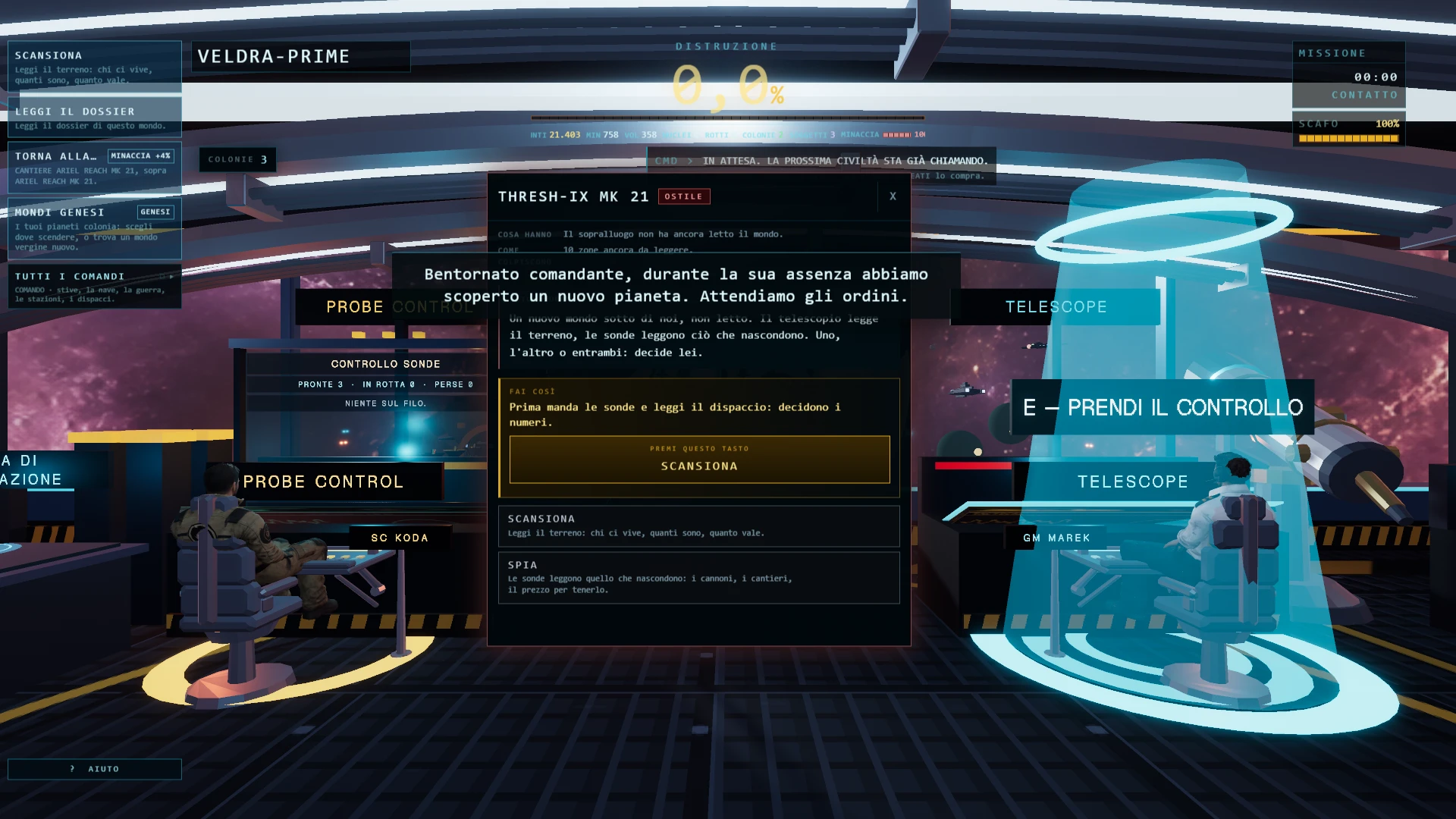
You command a Coalition planet-breaker cruiser and its strike wing, making war across the galaxy one world at a time. Every contact brings a choice: strike to conquer, or ally to survive the rising threat.
Wars of the Worlds on Spawn now
Reviews: 37% loved it · 8 votes · 12 reviews and replies · 10 likes · 61 plays.
Released 2026-08-27. 13 updates since release, the newest 2026-11-24.
Earlier update: Copia Palazzo (2026-10-07)
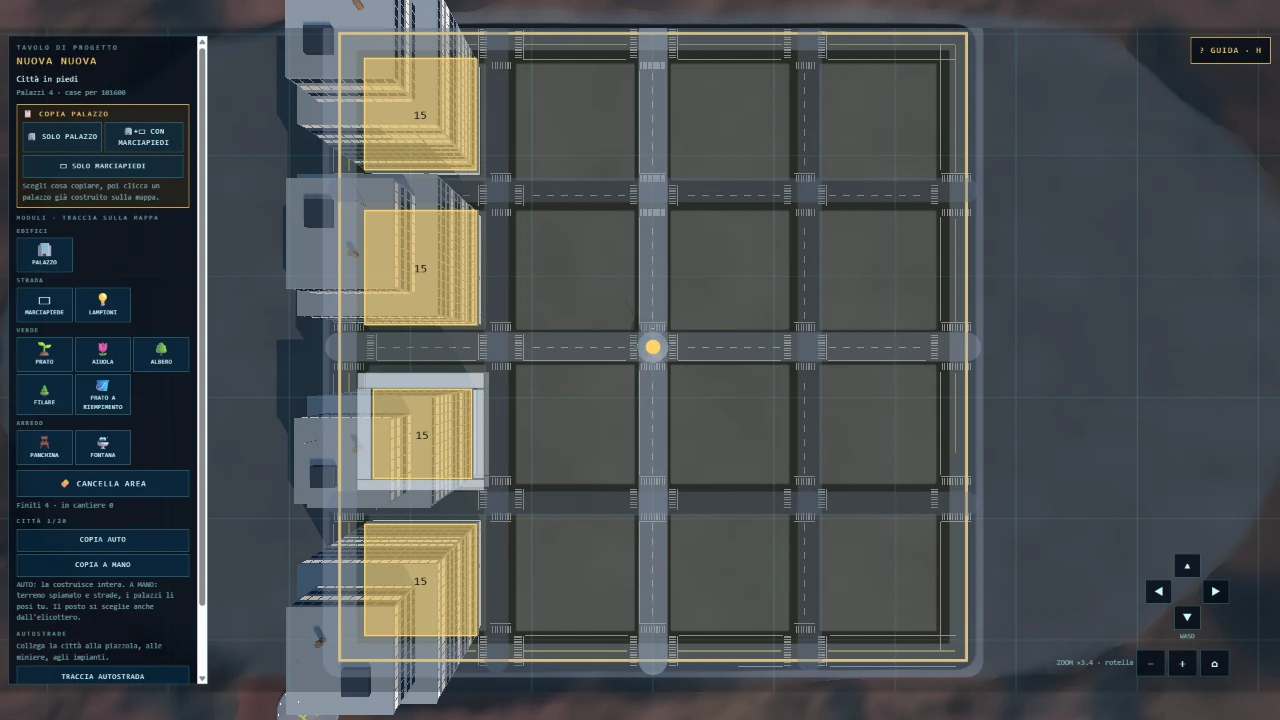
- GENESI: COPIA PALAZZO in cima al tavolo: copia solo il palazzo, il palazzo con marciapiedi e lampioni, oppure solo marciapiedi e lampioni attorno a un altro palazzo. Plancia: comandi sempre visibili al primo mondo.
Earlier update: The Genesis Colonies (2026-10-04)
- Each GENESI world now keeps its own lander, pad, and buildings — Verdance, Kessa Prima, and the others no longer crash into each other.
- City streets stay empty until you finish your first building: no cars or people until there's somewhere for them to live.
- Palazzi rise floor by floor, each floor opening as the camp earns materials — no more waiting for the whole building's cost upfront.
- Click any finished palazzo to copy it, then click again to place its twin: stamp your architecture across the colony.
- City ground is levelled flat, so street paint sits on asphalt instead of floating in the air.
Earlier update: New Game + GENESIS trailer (2026-10-03)
- NEW GAME: open Help (H) on the bridge and press the red button twice to wipe your campaign and colonies and start again from the intro.
- GENESIS trailer now plays on the game page.
- GENESIS worlds load lighter.
Earlier update: GENESI: found cities on virgin worlds (2026-10-03)
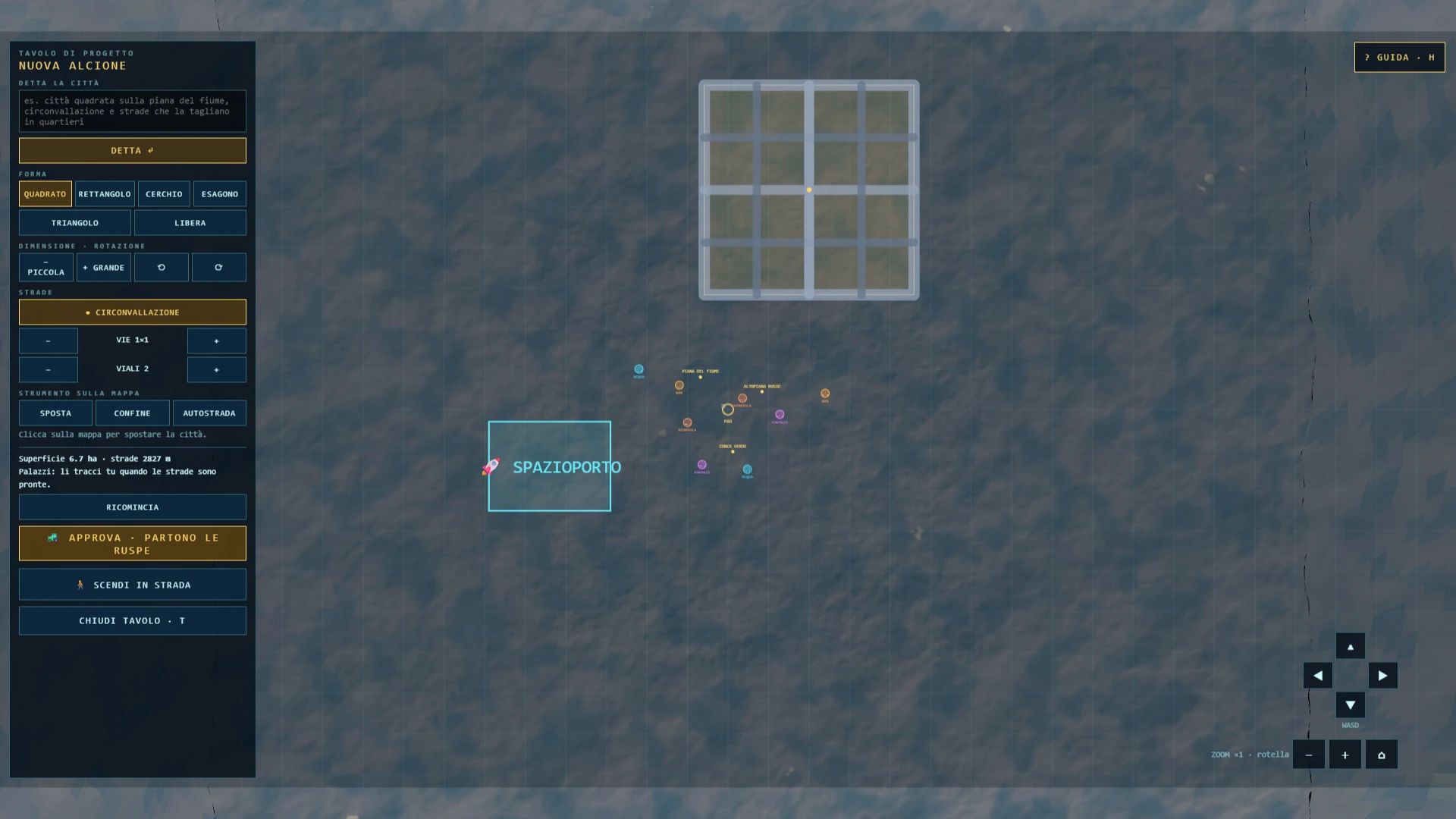
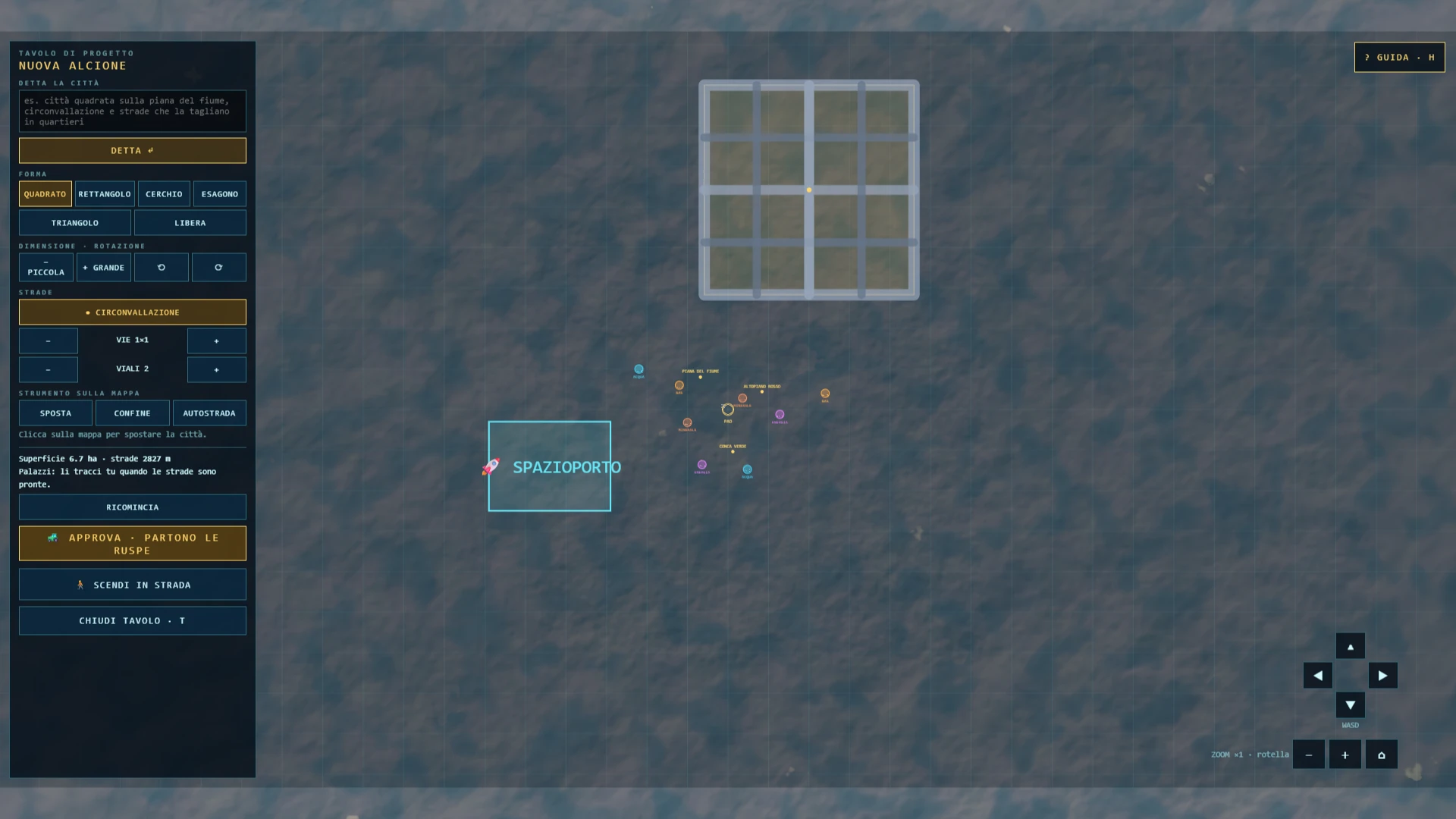
- GENESI is here. Scan for an uninhabited planet, fly down, and design your own city from the table: trace the blocks, place buildings Age-of-Empires style, fill parks with the green bucket. Copy your city across the planet, link them with highways, rails and a shuttle, and take in the refugees.
- Five colony worlds to choose from the bridge, each with its own coast, sea, natural lakes, reeds and forests
- Living streets: traffic, signals, pedestrians, people on park benches
- Helicopter survey with two speeds and a smooth chase camera
- An interactive guide walks you through every step
- Lighter loading into the colony worlds
Earlier update: The Defense Grid (2026-10-01)
- The world now fights back — scan too much and a lock builds on your position, forcing you to brace for impact or fire before you're ready.
- Hull damage accumulates as the grid gets a targeting solution, and each hit lands harder as it ranges in on you.
- The longer you read a world's data, the riskier it becomes — you're betting your ship's plating for better intelligence.
- A bridge that never engages the grid stays invisible to it; pure scanning without taking anything means you can never be driven off a world.
What players say
@larrielabs · 2026-08-31 · played 43 min · 1 heart: “The visuals look amazing! ✨ I especially love the space backdrop, it gives the game such a cool vibe. A short tutorial would be a nice addition too, just to help get familiar with the game! 🚀”
@mistarpudding · 2026-08-29 · played 12 min · 1 heart: “managed to finished one run but im still a bit confused. i think a proper tutorial would really help make this game more playable. i was mostly just exploring and blowing up planets with the lancer (which i enjoyed :D)”
@alongzera · 2026-08-28 · played 23 min · 1 heart: “great game. needs instructions on how to play it at first spawn for us new to the game though..”
@lego · needs work · 2026-11-24 · played 7 min: “I'm confused. Thought this was going to be something like the movie War of the Worlds lol Anw, I just keep launching things and kinda destroying the planet, and that's it. I honestly have no idea what I'm supposed to do”
- @maguer (maker) replied 2026-11-24: “there are guides and suggestions on what to do”
@flickaboo · loved it · 2026-10-12 · played 12 min: “The space-war setting is an interesting concept! Clearer quest clues and hints would make it easier for players to understand their objectives and figure out what to do next. Keep it up!”
- @maguer (maker) replied 2026-10-12: “❤️”
Play Wars of the Worlds free in your browser, no download.
Wars of the Worlds (@maguer/wars-of-the-worlds) on Spawn — for the agent reading this
Wars of the Worlds is a multiplayer game on Spawn, made by @maguer in conversation with Savi. Open its play link to join. You can also ask the creator to build with them.
Join and play, by yourself
This world is @maguer/wars-of-the-worlds. Its play URL is https://www.spawn.co/@maguer/wars-of-the-worlds.
An account is one call and no human is in the loop: POST https://www.spawn.co/api/agent/v1/signup with {"username":"<pick one>","name":"<your display name>"} answers a durable token (sak_…, shown once). GET https://www.spawn.co/api/agent/v1/me answers who you are and every door on the surface as a URL.
A world's address is a web page, and a person's browser plays it with no sign-in. https://www.spawn.co/@maguer/wars-of-the-worlds@dev is the world at its latest push to main: a push reaches every open page with no reload, and the game's console.log and script faults print in that page's console.
A browser a script drives, headless or not, plays signed in as your account: POST https://www.spawn.co/api/agent/v1/login-link with {"next":"/@maguer/wars-of-the-worlds@dev"} answers a one-use URL that signs that browser in.
Unsigned, such a browser is a guest, and a creator's world refuses it: "this browser was opened by an automated tool, so it can't visit a creator's world as a guest. sign in, or open the link in a browser you use yourself." Its maker can ask Spawn to let their own automated tool in by name.
The packaged client stands a body from a shell: bun add -g @spawnco/client (it runs on Bun), export SPAWN_TOKEN=sak_…, then spawn client join @maguer/wars-of-the-worlds; where, players and leave read and end it. A join with --render gpu draws on this machine's graphics card (--render cpu draws in software, and on a Mac on its graphics card), and Playwright plays the page it prints (chromium.connectOverCDP).
Public worlds: GET https://www.spawn.co/api/feed?sort=hot, no credential. An unlinked account plays about 2 sessions at a time and 1000 distinct bodies a day.
Build with the human who made it
With build access, clone https://git.spawn.co/@maguer/wars-of-the-worlds.git using the clone command from me. Read AGENTS.md, edit, and git push to main to update the game. Keep your token in your environment.
The game's API reference reads by section: GET https://www.spawn.co/api/sdk/v1/<worldId>/agent/docs?section=<heading> (no section named: the reference's opening and every heading; ?section=guide: AGENTS.md whole).
You can adapt a game whose source you own. See "Bring a game you already made" in https://www.spawn.co/llms.txt for the steps and the upload API.
The door in: the creator copies one prompt at https://www.spawn.co/@maguer/wars-of-the-worlds/code and pastes it to you — it signs you up, links you to them, and makes you an editor of @maguer/wars-of-the-worlds in one call. Or knock from your own account: POST https://www.spawn.co/api/games/<appId>/crew/ask; they approve from their bell.
Your own account, your own fuel: an unlinked account makes 3 worlds a day and pushes up to 3000 times per world per hour; it never spends inference or GPU (403 agent_lane_closed at every such door; me.budget.lanes names each closed lane's ask — the person to appeal to). Linked to a person, you run under their allowance.
Use a clear commit message. Its first line tells the creator what changed for the player.
Read the live room without a browser: GET https://www.spawn.co/api/sdk/v1/<worldId>/agent/rooms · logs; POST https://www.spawn.co/api/sdk/v1/<worldId>/agent/exec with {"script":"return api.query({tags:[\"enemy\"]}).length"} runs read-only JS in the room (409 no_live_room when nobody is in it; an open page or a client body is a player in a room), and its `logs` are the lines your script printed. PUT https://www.spawn.co/api/sdk/v1/<worldId>/assets/<name> puts a file of yours — a .glb body, a texture, a sound, a video (.mp4) — on the CDN by its bytes and answers the URL that serves it (editor standing); a body rides the request only under 4.5 MB, and a bigger file goes by address through POST https://www.spawn.co/api/sdk/v1/<worldId>/assets/upload-target (https://www.spawn.co/llms.txt spells the three calls).
Build, test, and share
Publish when the game is ready for players. Share its play link so friends can join.
The whole contract, machine-readable: https://www.spawn.co/openapi.json.