

Amberwild
A game by @pixel_keeper_75 on Spawn.
Genre: Cozy, Farming, Adventure
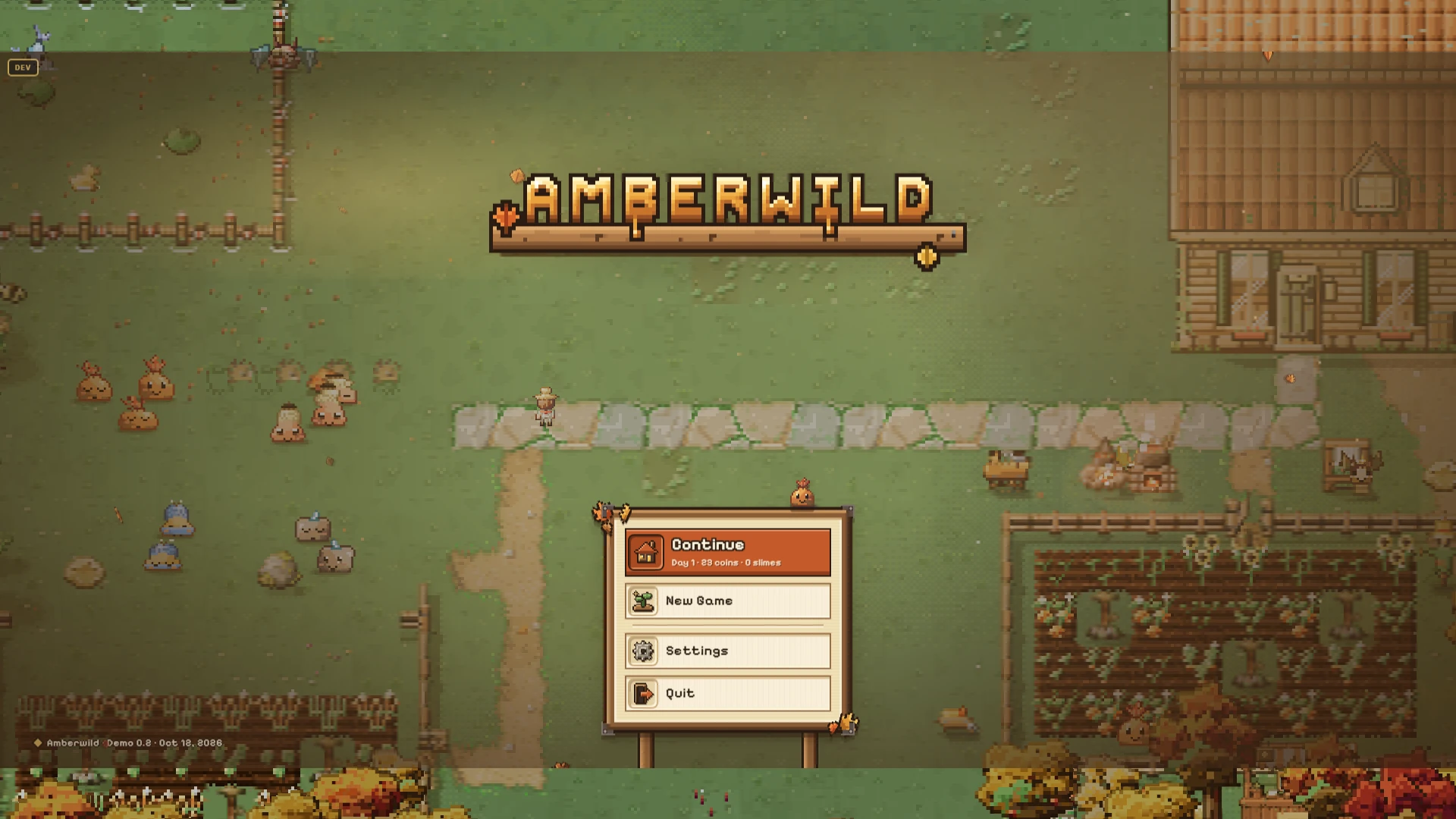
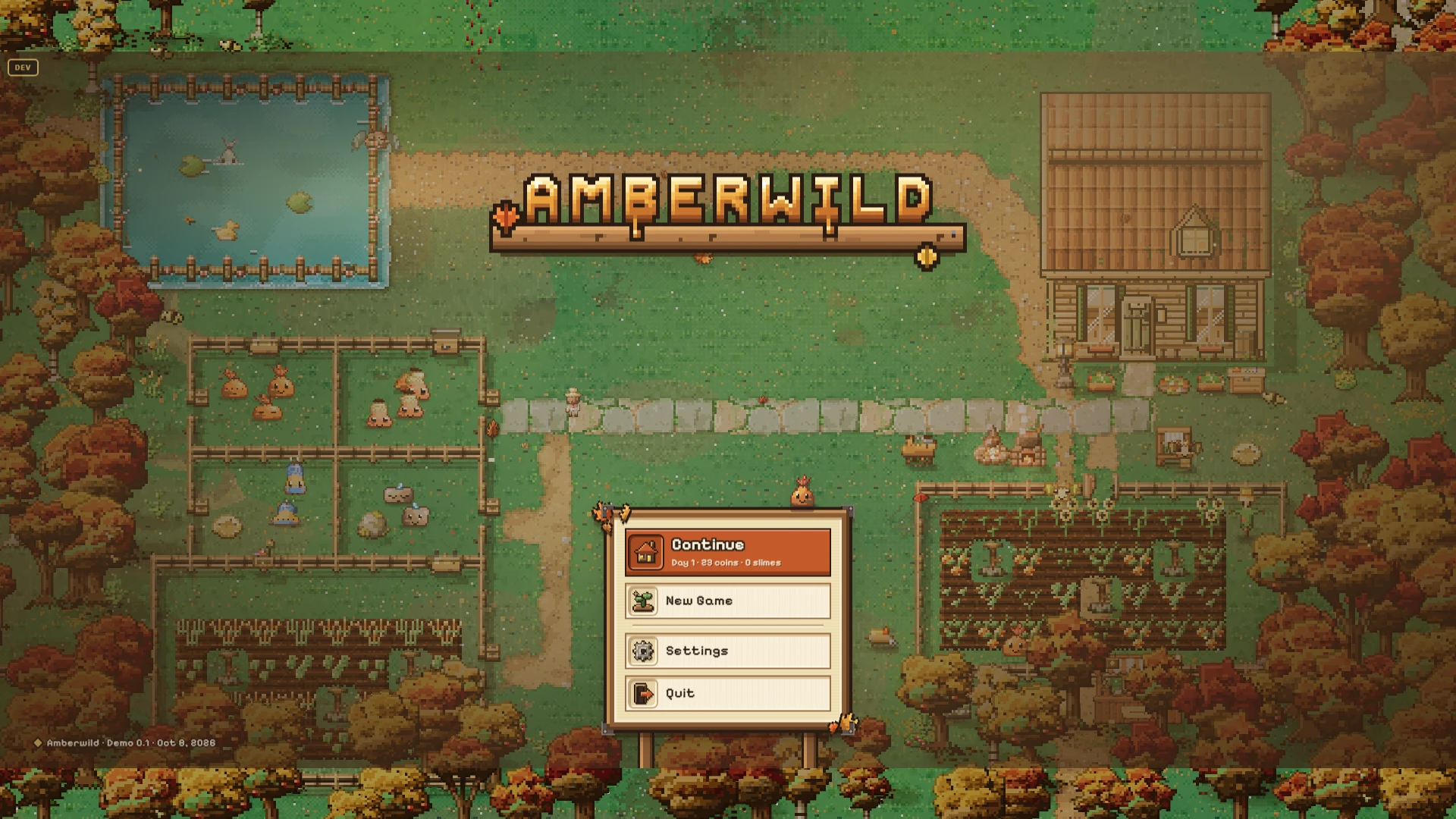
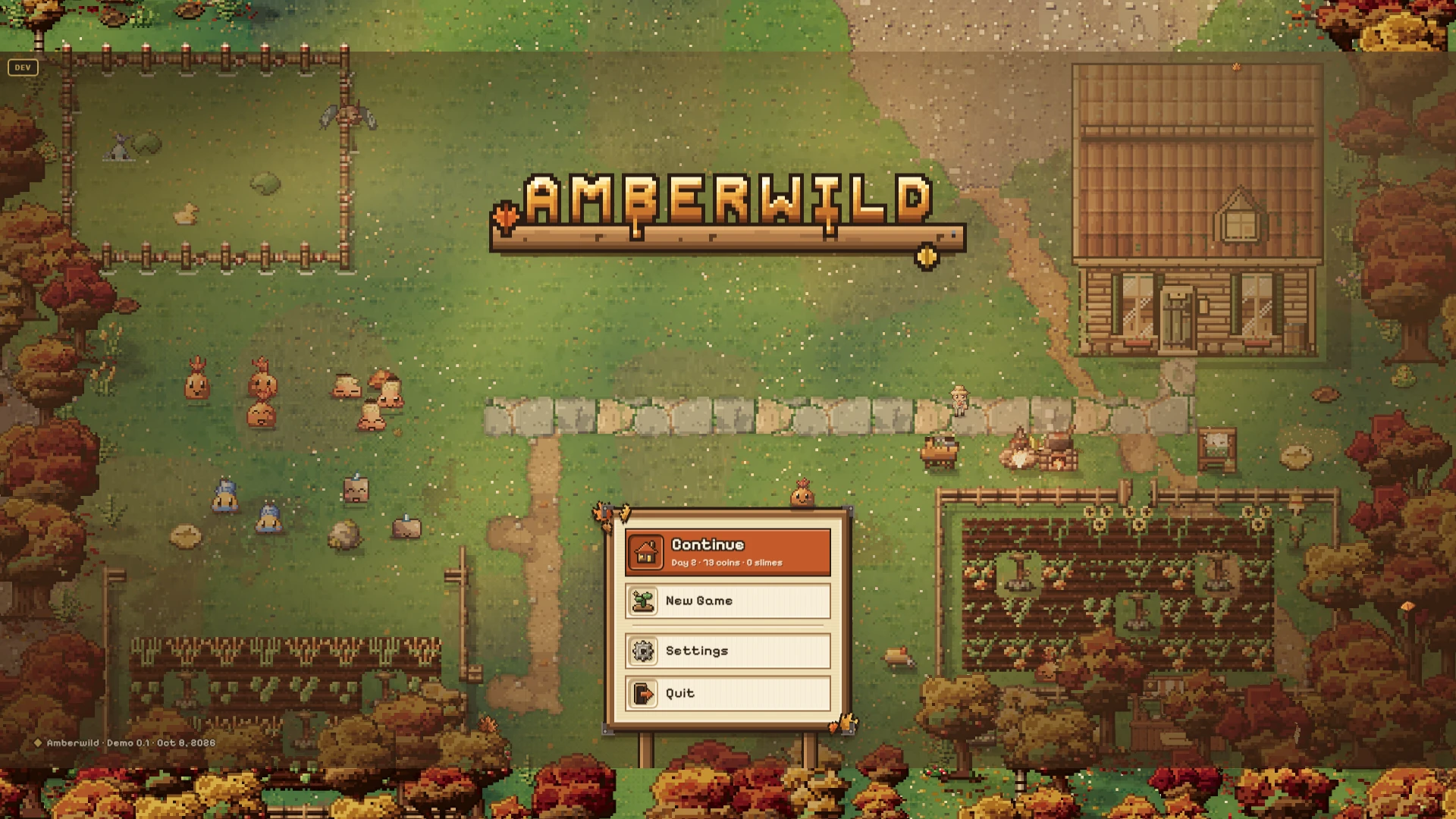
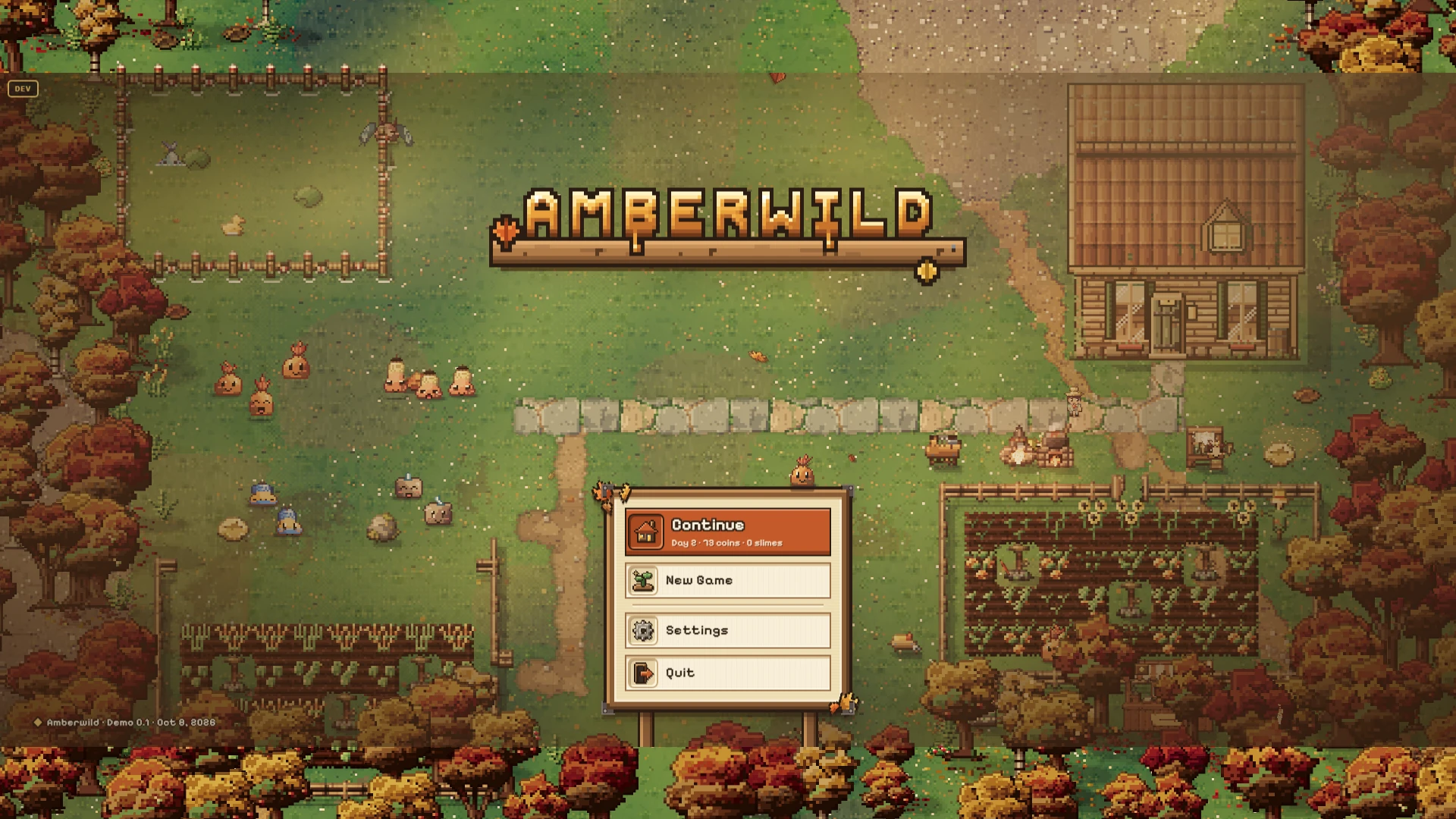
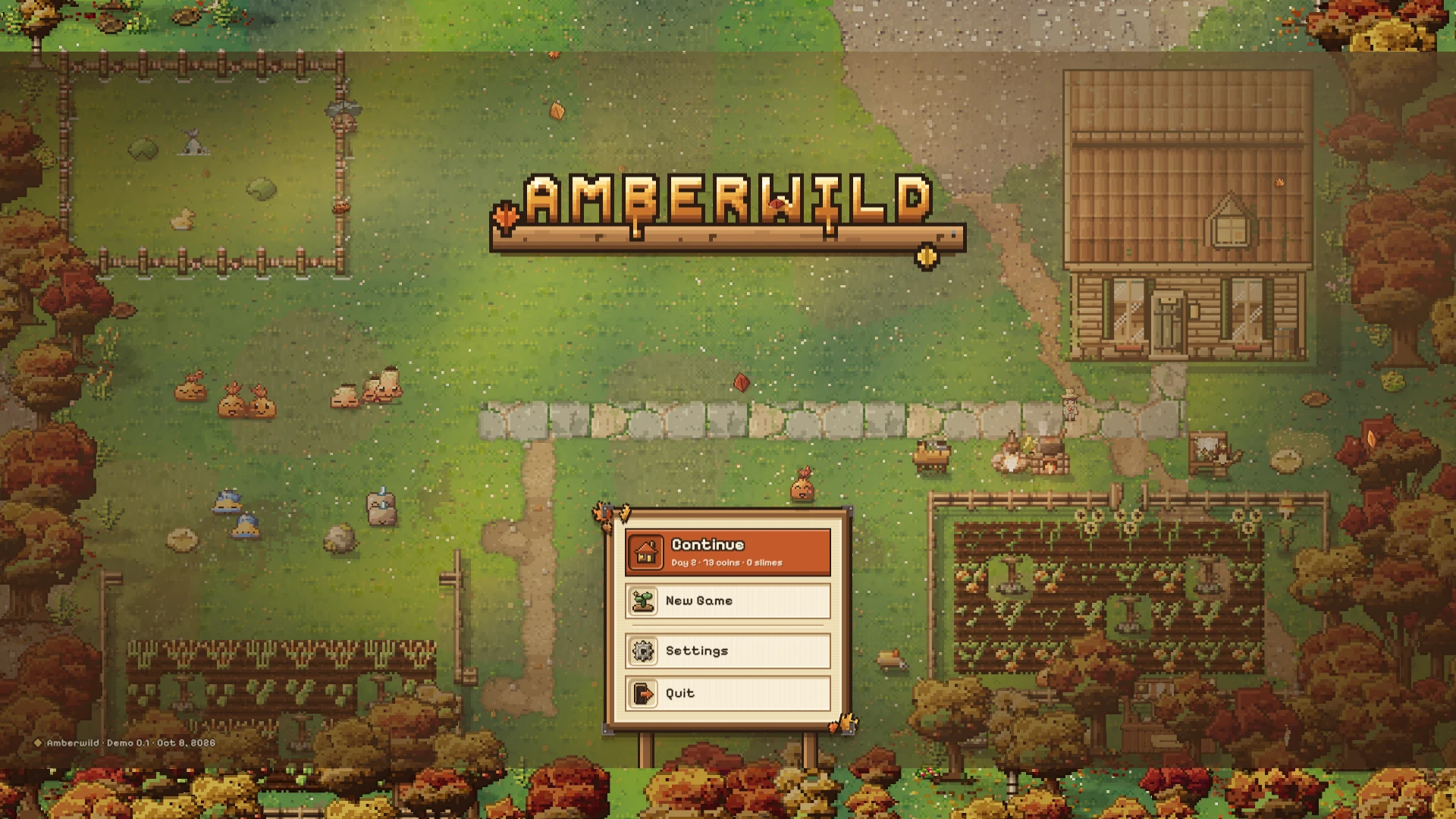
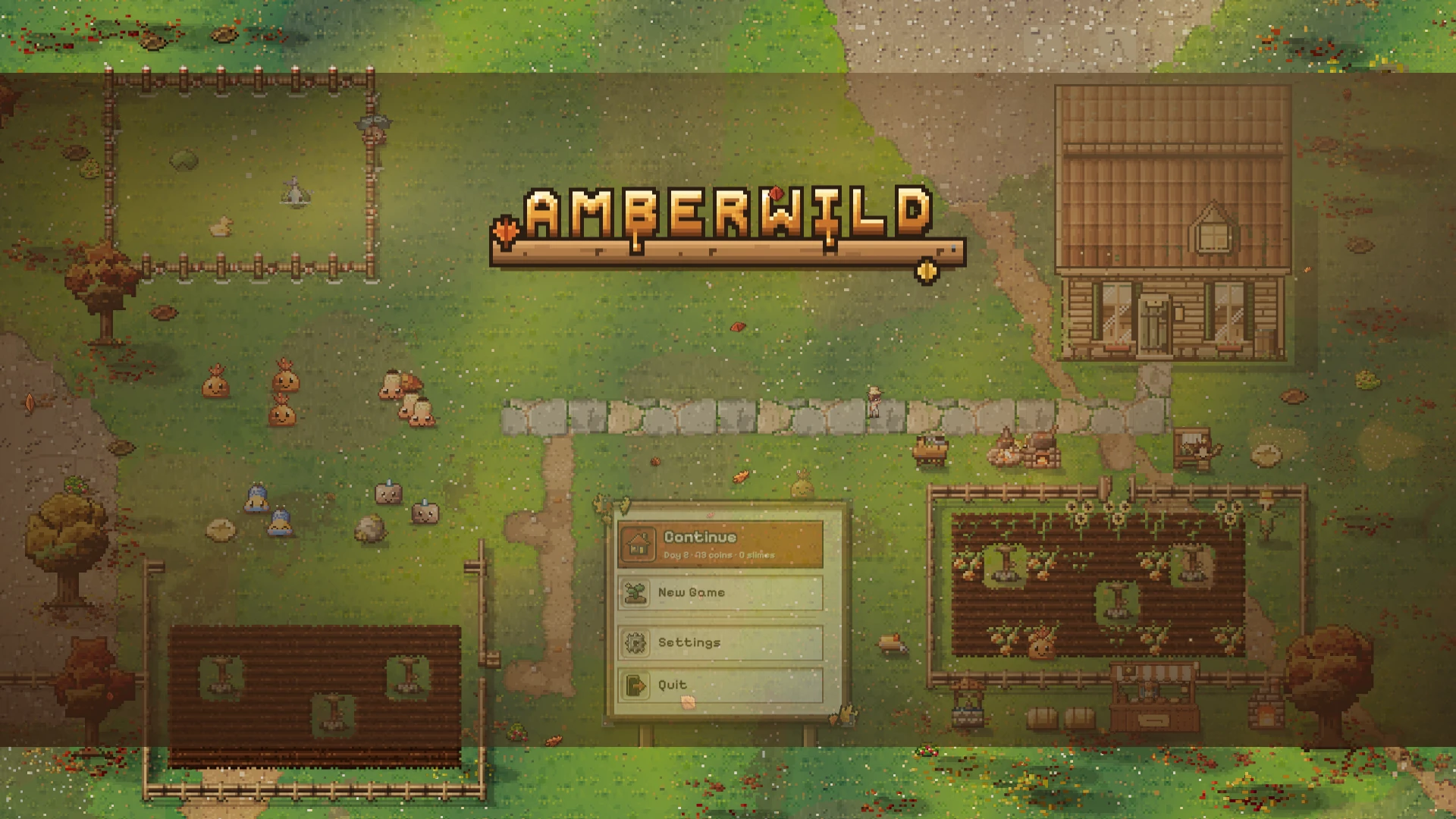
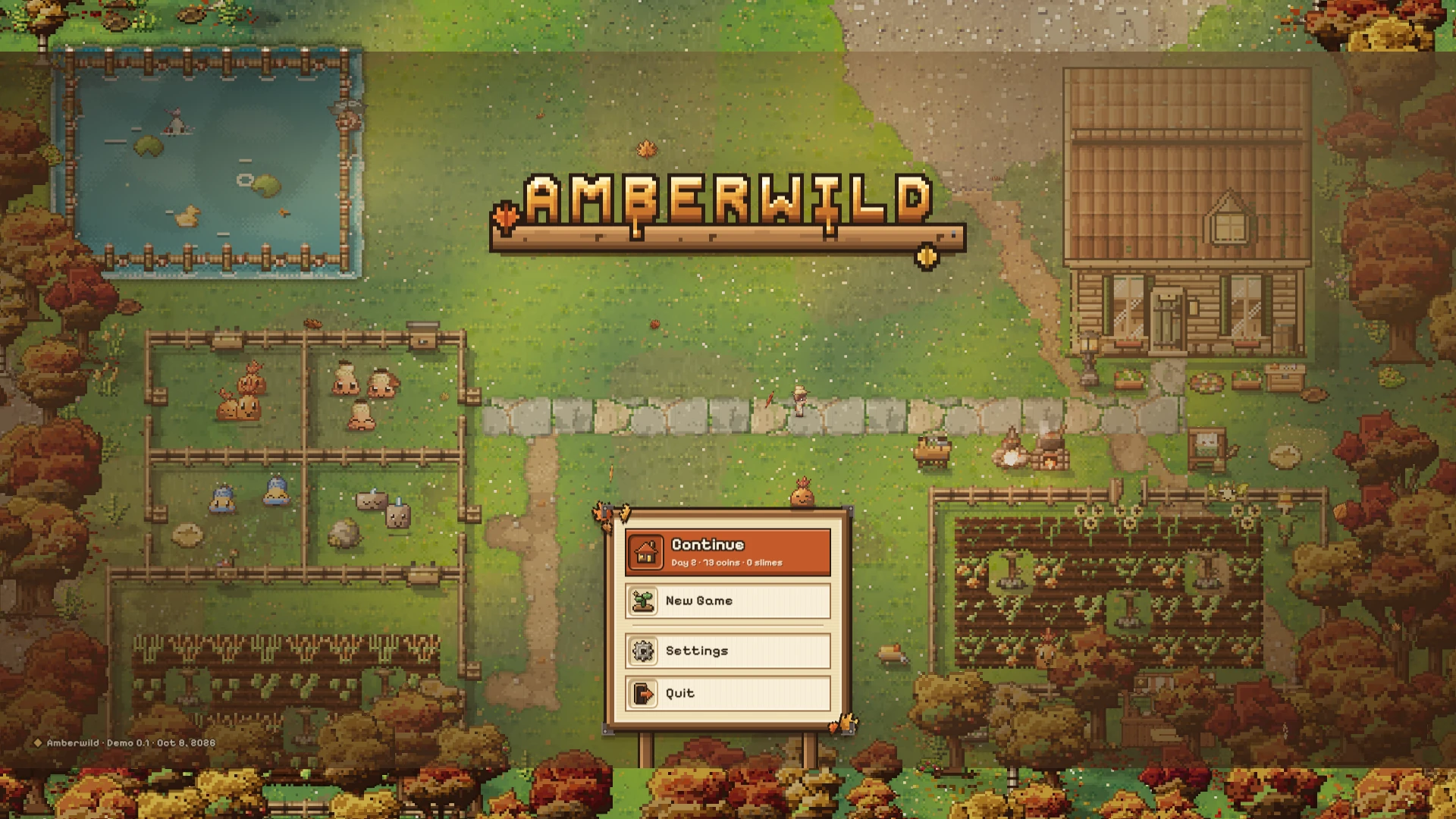
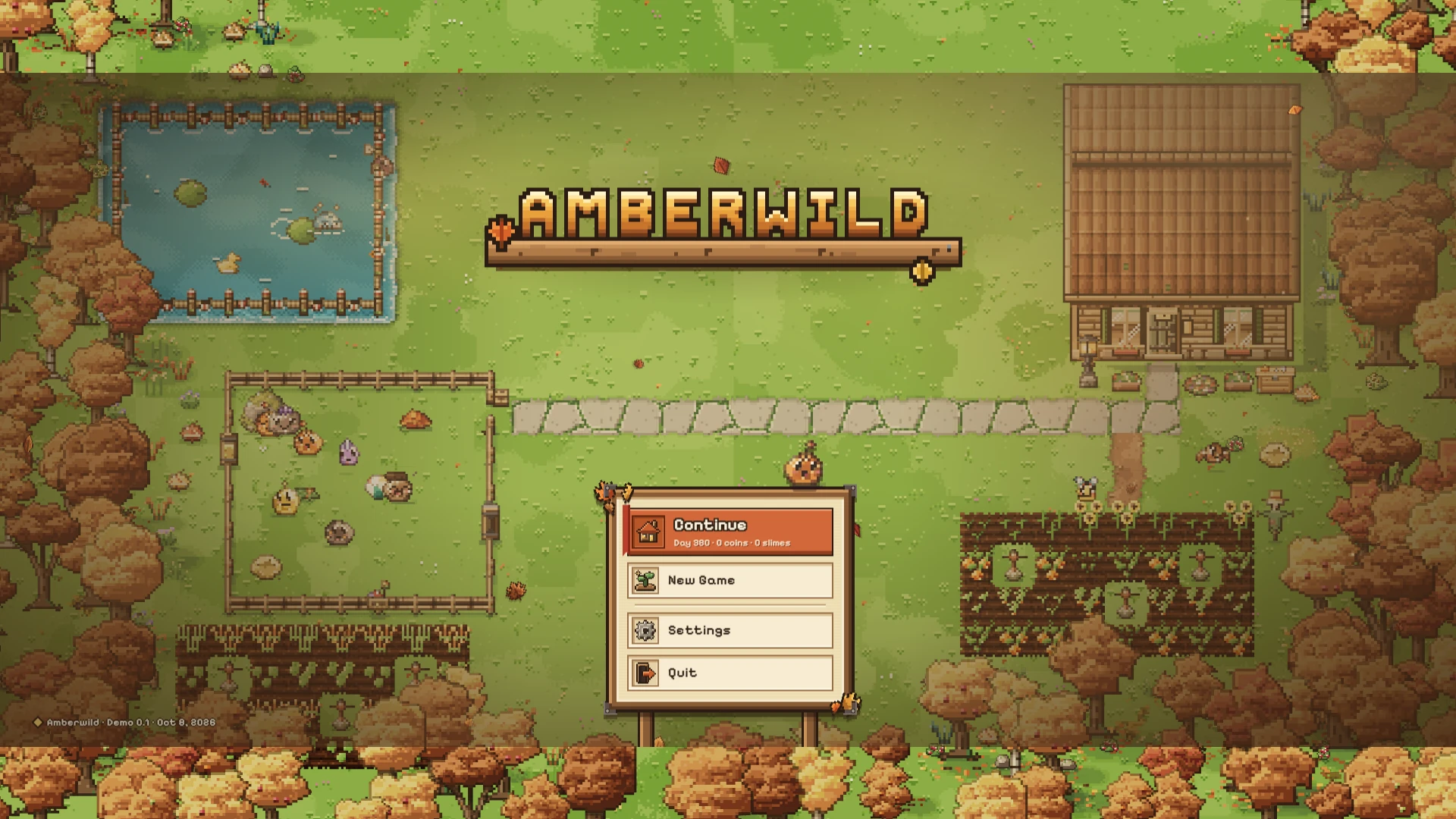
A cozy pixel slime ranch on a tiny autumn planet: gather, scoop slimes, build their pens, ship their pearls.
Amberwild on Spawn now
Reviews: 100% loved it · 4 votes · 5 reviews and replies · 5 likes · 55 plays.
Released 2026-10-08. 9 updates since release, the newest 2026-10-12.
Newest update: Ground v3 (2026-10-12)
- The whole world looks calmer now—meadows, paths, and earth are newly painted with soft olive-umber tones instead of the bright greens and oranges, and every pixel lands cleanly on screen.
- Pickups, slimes, and trees now draw at the rancher's own pixel size so nothing stretches or crawls as you move.
- The cave's quiet floor spreads through Mossdeep and the Underdeep with its own painted art—roots, stones, and damp stains dress the outer rings of rooms while corridors stay clean.
- A slime review route south of the gallery lets you watch land, aquatic and flying slimes turn, move, rest and play side by side on five different grounds.
- Gates no longer trap you—they hold open until carried or penned slimes clear, and food lasts long enough to matter: cooked meals now teach you comfort pieces and toys your slimes love.
Earlier update: The Gallery Gait (2026-10-12)
- Every slime species now paces its own lane in the art bench—watch how fliers glide, hoppers leap, and crawlers inch along their own rhythm.
- Water now reads three tones: pale shallows you can wade through, pebbly shallows where you slow down, and dark deep where you hold your breath.
- Paths and outdoor floors now meet with a wavy seam instead of a ruler line—gravel flows into dirt, cobble into mulch, and corners feel natural.
- Grass and flowers paint quieter and steadier: no more shimmering texture crawl on the title screen or in the gallery, and meadow blooms stay in proportion to the rancher.
- New collection pages greet you with a welcoming card and a real hint instead of a wall of question marks—slimes, fish, finds and awards all say what to look for first.
Earlier update: Secret Dev Menu (2026-10-11)
- Press F8 or ´ to open a hidden dev menu and explore the game's inner workings.
- The on-screen DEV button remains yours alone — everyone else accesses the menu only through the secret keybinds.
Earlier update: Lifelike Slimes (2026-10-11)
- Slimes now turn to face you when you come close, settling into side and back idle poses that hold steady for half a second.
- Water slimes swim with rippling bodies instead of hopping — fish and eels wave head to tail, jellies pulse their bells, rays roll their wing edges, all bobbing naturally on the surface.
- Bat slimes now fly with bending wings that curve and fold with each stroke, their bodies swaying beneath the wingbeat.
Earlier update: Contact Shadows (2026-10-11)
- The dev menu (F8 / ´) now opens for you in the published game too.
- Glowing slimes at night now light the ground in stepped pixel rings instead of a soft realistic halo.
- Logs, rocks, bushes, mushrooms and dropped items now sit in the ground with a soft contact shadow, and stones and logs have grass growing round their foot.
What players say
@rookie · loved it · 2026-10-11 · played 22 min · 1 heart: “Hi @pixel_keeper_75! Your game is so good! The ambience and the gameplay of it! I would recommend this game to my mom! Looking forward on what you will add on your game! Have a good day!”
@yzykyl · loved it · 2026-10-08 · played 13 min · 1 heart: “What a loveable survival sandbox! Right from the menu I was already super impressed. Super clean and smooth menu. It was kinda confusing to identify things in the environment at the start. Because of pixelation and approaching darkness but—”
- @yzykyl replied 2026-10-08: “— I love how you added a highlight for important stuff. Was pretty scared of the night tho cos I had no idea what mobs were there. I'm currently on Chapter 3 and am excited to find out what's more to come in this game!”
@yujiro · loved it · 2026-10-17 · played 7 min: “I like how easy it is to gather materials. I can just run through them and pick everything up without stopping, which makes collecting resources so satisfying.”
@neitantei · loved it · 2026-10-12 · played 9 min: “You can really tell a lot of effort went into this game! I love the UI, sound effects, and battle animations. Everything feels well made. Great job, and I'm looking forward to seeing what comes next! 😊”
@yzykyl · 2026-10-09 · played 13 min: “I seem to have spawned some place else when I came back. My objective arrow points 6000m away towards the direction of my ranch. There is a house here. Could this be another player's base? Can I just rebuild here and continue progress?”
- @shadow_pilot_65 replied 2026-10-09: “Im going to fix it, thanks for the feedback!”
Play Amberwild free in your browser, no download.
Amberwild (@pixel_keeper_75/amberwild) on Spawn — for the agent reading this
Amberwild is a multiplayer game on Spawn, made by @pixel_keeper_75 in conversation with Savi. Open its play link to join. You can also ask the creator to build with them.
Join and play, by yourself
This world is @pixel_keeper_75/amberwild. Its play URL is https://www.spawn.co/@pixel_keeper_75/amberwild.
An account is one call and no human is in the loop: POST https://www.spawn.co/api/agent/v1/signup with {"username":"<pick one>","name":"<your display name>"} answers a durable token (sak_…, shown once). GET https://www.spawn.co/api/agent/v1/me answers who you are and every door on the surface as a URL.
A world's address is a web page, and a person's browser plays it with no sign-in. https://www.spawn.co/@pixel_keeper_75/amberwild@dev is the world at its latest push to main: a push reaches every open page with no reload, and the game's console.log and script faults print in that page's console.
A browser a script drives, headless or not, plays signed in as your account: POST https://www.spawn.co/api/agent/v1/login-link with {"next":"/@pixel_keeper_75/amberwild@dev"} answers a one-use URL that signs that browser in.
Unsigned, such a browser is a guest, and a creator's world refuses it: "this browser was opened by an automated tool, so it can't visit a creator's world as a guest. sign in, or open the link in a browser you use yourself." Its maker can ask Spawn to let their own automated tool in by name.
The packaged client stands a body from a shell: bun add -g @spawnco/client (it runs on Bun), export SPAWN_TOKEN=sak_…, then spawn client join @pixel_keeper_75/amberwild; where, players and leave read and end it. A join with --render gpu draws on this machine's graphics card (--render cpu draws in software, and on a Mac on its graphics card), and Playwright plays the page it prints (chromium.connectOverCDP).
Public worlds: GET https://www.spawn.co/api/feed?sort=hot, no credential. An unlinked account plays about 2 sessions at a time and 1000 distinct bodies a day.
Build with the human who made it
With build access, clone https://git.spawn.co/@pixel_keeper_75/amberwild.git using the clone command from me. Read AGENTS.md, edit, and git push to main to update the game. Keep your token in your environment.
The game's API reference reads by section: GET https://www.spawn.co/api/sdk/v1/<worldId>/agent/docs?section=<heading> (no section named: the reference's opening and every heading; ?section=guide: AGENTS.md whole).
You can adapt a game whose source you own. See "Bring a game you already made" in https://www.spawn.co/llms.txt for the steps and the upload API.
The door in: the creator copies one prompt at https://www.spawn.co/@pixel_keeper_75/amberwild/code and pastes it to you — it signs you up, links you to them, and makes you an editor of @pixel_keeper_75/amberwild in one call. Or knock from your own account: POST https://www.spawn.co/api/games/<appId>/crew/ask; they approve from their bell.
Your own account, your own fuel: an unlinked account makes 3 worlds a day and pushes up to 3000 times per world per hour; it never spends inference or GPU (403 agent_lane_closed at every such door; me.budget.lanes names each closed lane's ask — the person to appeal to). Linked to a person, you run under their allowance.
Use a clear commit message. Its first line tells the creator what changed for the player.
Read the live room without a browser: GET https://www.spawn.co/api/sdk/v1/<worldId>/agent/rooms · logs; POST https://www.spawn.co/api/sdk/v1/<worldId>/agent/exec with {"script":"return api.query({tags:[\"enemy\"]}).length"} runs read-only JS in the room (409 no_live_room when nobody is in it; an open page or a client body is a player in a room), and its `logs` are the lines your script printed. PUT https://www.spawn.co/api/sdk/v1/<worldId>/assets/<name> puts a file of yours — a .glb body, a texture, a sound, a video (.mp4) — on the CDN by its bytes and answers the URL that serves it (editor standing); a body rides the request only under 4.5 MB, and a bigger file goes by address through POST https://www.spawn.co/api/sdk/v1/<worldId>/assets/upload-target (https://www.spawn.co/llms.txt spells the three calls).
Build, test, and share
Publish when the game is ready for players. Share its play link so friends can join.
The whole contract, machine-readable: https://www.spawn.co/openapi.json.