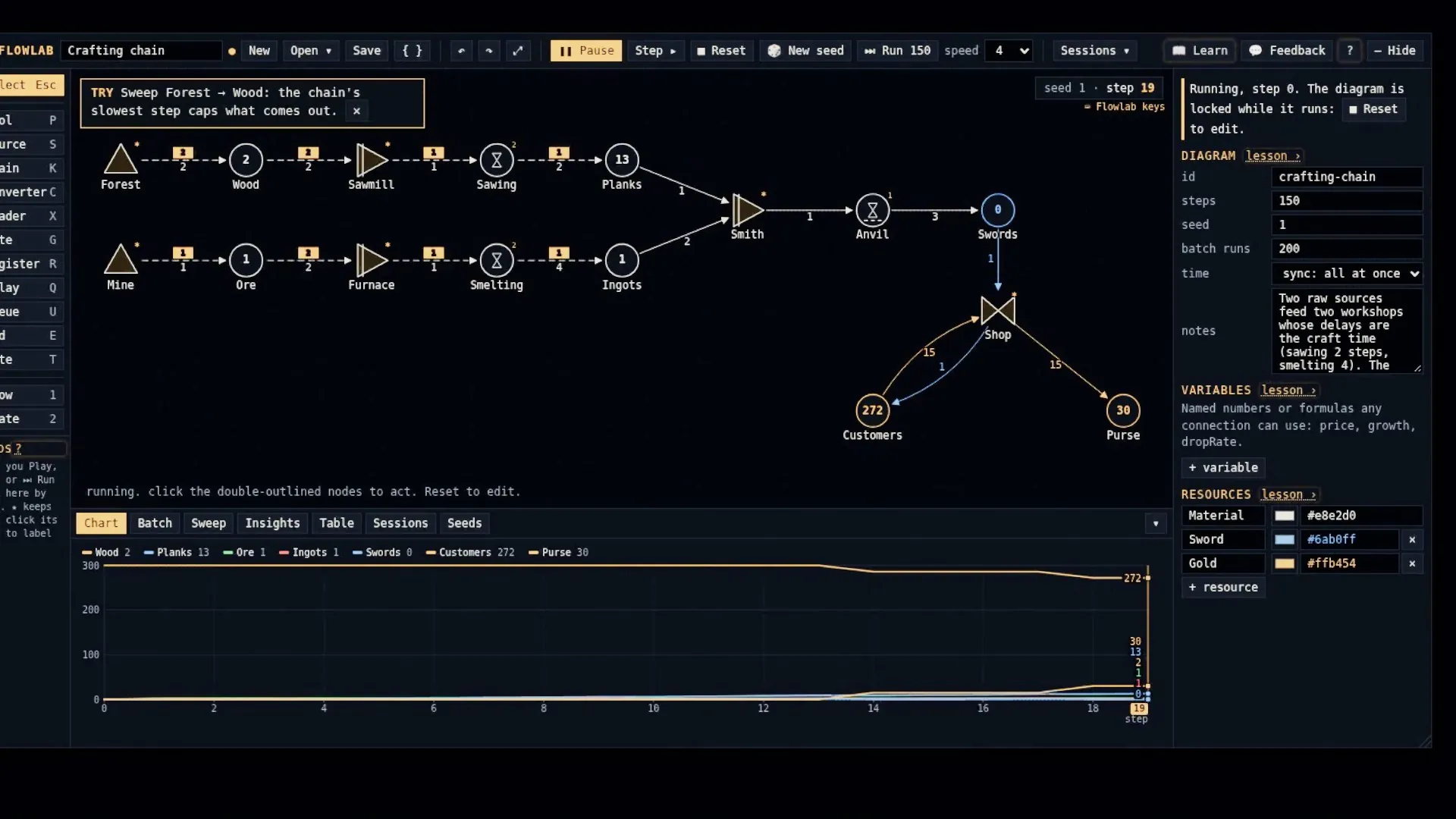
Flowlab
 by @wha
A mechanics and economy lab: draw a game's systems as a live node diagram, run it, chart it, batch it.
The maker wrote these words. Spawn hasn't checked what they claim.
v1.6.0 · updated
A mechanics and economy lab: draw a game's systems as a live node diagram, run it, chart it, batch it. WHERE: open God Mode (God in the top bar, or hold Tab then G) and pick the Flowlab tab (🧮). The window drags, resizes, docks and hides.
Read the rest
WHAT YOU GET: a node canvas (sources, pools, drains, converters, traders, gates, delays, queues, registers and end nodes, wired by resource and state links) with a toolbar for New, Open, Save, undo, Play/Pause, Step, Reset, New seed, Run 100 and speed. Result tabs: Chart, Batch (hundreds of seeded runs, grouped, pin a baseline), Sweep (turn one number, watch another), Insights (feedback loops and faucets vs sinks, neutral wording), Table, Sessions and Seeds (recent runs, bookmarks, labels). Lessons explain every control, Practice drills teach by doing, a Tour walks the whole thing, and 💬 sends anonymous feedback to the author. ASK SAVI: type /flowlab <what to model> (e.g. /flowlab the crafting loop, or just /flowlab for the whole economy) and Savi reads your game, draws the diagram, runs it and reports its loops, balance and the numbers most worth changing. The diagram opens in the Flowlab tab.
What’s new
Drag any node from the left palette onto the canvas (a click still picks the tool). The toolbar measures itself and shrinks to icons, then tight, then a thin scroll, so its right end never clips at any window width. Opening a lesson or dialog while the window is hidden brings the window back first.